 MicroURL
All guides
Exporting analytics to CSV
Get your click data into a spreadsheet, matching whatever date range and filters you're currently viewing.
1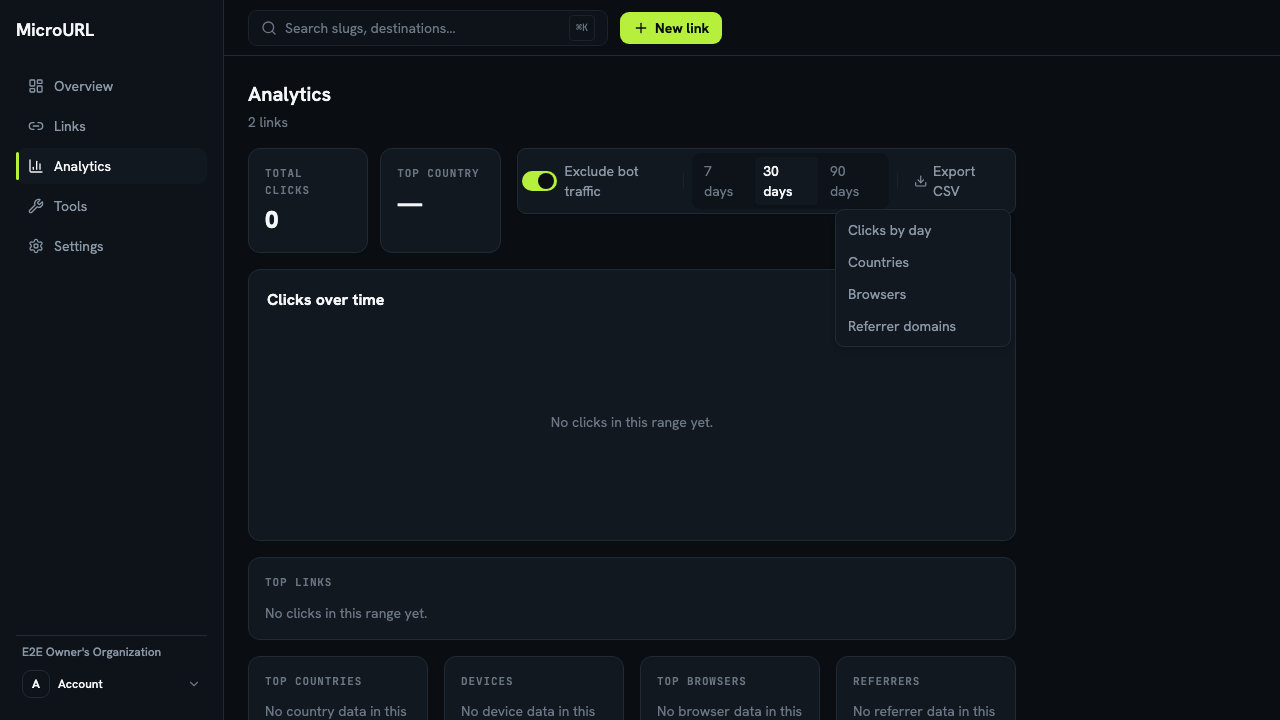
Click “Export CSV”
On the Analytics page (or a link’s own Analytics tab), click Export CSV next to the date range picker.
2
Choose what to export
Pick Clicks by day, Countries, Browsers, Referrer domains or AI crawlers (visits from AI assistants’ bots). Each downloads as a separate CSV file.
3
The export matches your current view
Whatever date range and bot-traffic filter is currently selected is what gets exported, so change the range first if you need a different window.